Call tracking that shops can trust
See every inbound, missed, and answered call in one history — with caller identity, duration, and disposition so nothing falls through the cracks.
Call history
WrenchPilot PBX
Track every call. Record what was said. Create or link service orders, send quick invoices, and keep it all connected to WrenchPilot Shop Management — with easy setup and an AI agent to help you configure PBX.
Why shops choose PBX
Benefits
See every inbound, missed, and answered call in one history — with caller identity, duration, and disposition so nothing falls through the cracks.

Call history
Capture the conversation for disputes, training, and clarity on what the fleet said about the unit — replay anytime from call history.

Recording
Fleet dispatch · Unit 214
Skim what was said without replaying the whole audio. Hand concern, unit, and contact context straight into the bay.

Transcript
“We've got a Peterbilt with a no-start — driver is at the yard on Industrial. Can you get an ETA?”
Turn a conversation into a service order — or link an existing SO by company, SO #, or unit — without retyping what the caller already said.

From call → shop
Connected workflow
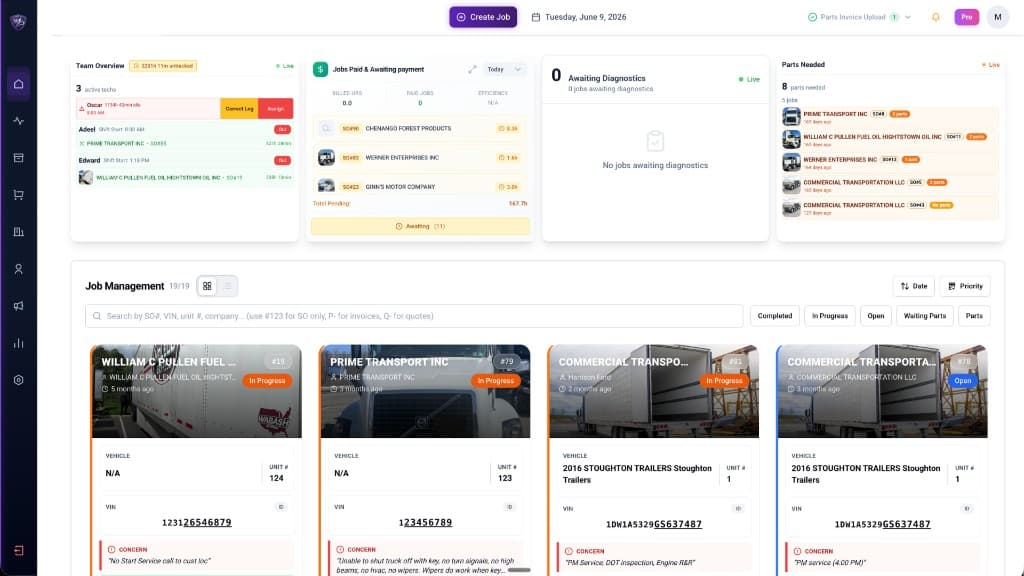
PBX is not a separate silo. After the call, create or link a service order, send quick invoices, and keep fleet context in WrenchPilot — the same system for time, jobs, and payments.
Push from the call into Shop Management for estimates, invoices, and payment follow-ups — less back-and-forth after hang-up.
Caller phone, company, and contact stay connected to customers, units, and jobs so the counter and the bay share the same story.
Pair with WrenchPilot Breakdown so directory traffic becomes tracked calls — with recordings and transcripts your team can act on.
Easy setup
Get help from an AI agent to set up your PBX system: greetings, menus, after-hours routing, and call flow. Less telecom jargon. More time answering paying customers.
AI setup agent — click in the Phone app and ask it to set up your PBX entirely. It reads your shop name, phones, and contacts, then builds a main greeting and dial menu. After-hours greeting is optional — not on by default.
What callers hear
“Thank you for calling. Please listen to the following options.”
Enable PBX from Profile → Subscription or the Phone app. After you pay, we buy a local number and send you to the PBX tab.
Ask the AI agent to set up PBX entirely. It uses your shop name, phones, and contacts to create a main greeting and Press 1 / 2 / 3 options.
Connect calls to customers and service orders, then invoice faster with the same system your techs already use.
FAQ
WrenchPilot PBX is a shop phone system for diesel and heavy-duty repair shops. It tracks inbound calls, records conversations, generates transcripts, and connects callers to Shop Management — including service orders, estimates, and invoices.
Track calls, record conversations, link service orders, invoice faster, and set up PBX with AI help — inside the WrenchPilot platform shops already trust.